

ND Email Log records every email that your WordPress website sends via wp_mail(). You can immediately see which emails were sent successfully, which ones failed, and which plugin or form triggered the send.
Typical use cases for ND Email Log
- Stay informed at a glance about the status of email dispatch from your website
- A contact form was submitted, but the email hasn’t arrived.
- We need to track a WooCommerce order confirmation email, a password reset email or a newsletter dispatch.
- After changing your SMTP settings, check whether email delivery is working again.
- An email should be sent again, to a corrected recipient address if necessary.
The log records the time, status (Success or Failed) and, in the event of an error, the error message. It also records the source (plugin, theme or WordPress itself) and the server (SMTP host or PHP mail()). Also recorded are the recipient, CC, BCC, Reply-To, subject line, message body, filenames of the attachments and the IP address of the request that triggered the sending. The attachment files themselves are not copied.
The email log

You can open each entry in full. You can resend emails individually or in batches. The recipient’s address can be amended before resending; the content and attachments remain unchanged. Attachments are only included if the original file is still on the server. You can filter the list by ‘Success’ and ‘Failed’ and search it by recipient or subject. Individual entries or the entire log can be deleted.
The Dashboard widget
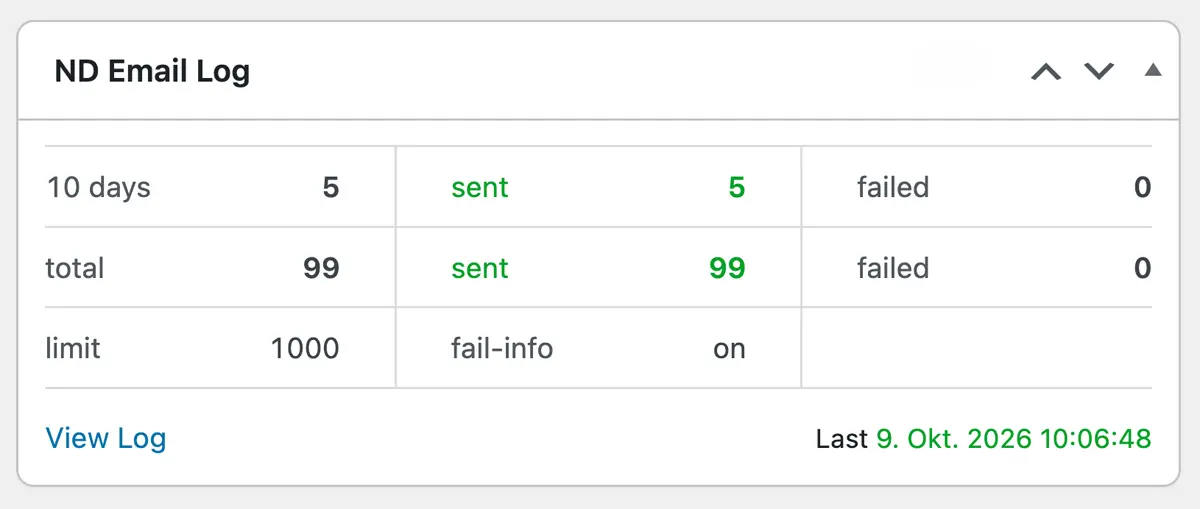
On the dashboard, a widget displays the figures for the last 10 days and the total stock, including failed deliveries, and links directly to the log. Optionally, a notification can be sent to one or more email addresses for each failed delivery. The website’s admin email address is set as the default.
You can set the number of entries to retain yourself (1 to 10,000; default 1,000). Once the limit is reached, the oldest entries are deleted. When you uninstall the plugin, the log and settings are removed.
The log records everything that runs via wp_mail(), including WooCommerce, contact forms and SMTP plugins such as ND Email SMTP. Direct sending bypassing PHP’s `mail()` function does not appear in the log. The log contains personal data and is visible only to administrators.
Documentation
Once installation is complete, you can find the full documentation under Settings → ND Email Log → Documentation.
Costs
Annual licence for 1 website: €25.00
Enjoy using ND Email Log!
Get in touch with usWas that helpful?